install
Two packages, then it runs on your machine.
timbre installs as a background service plus a desktop panel. It works fully offline with local models and needs no account.
Debian / Ubuntu
timbre_0.5.27-1_all.debtimbre-gui_0.5.27-1_amd64.deb
sudo apt install \
  ./timbre_0.5.27-1_all.deb \
  ./timbre-gui_0.5.27-1_amd64.deb
Fedora
timbre-0.5.27-1.fc41.noarch.rpmtimbre-gui-0.5.27-1.fc41.x86_64.rpm
sudo dnf install \
  ./timbre-0.5.27-1.fc41.noarch.rpm \
  ./timbre-gui-0.5.27-1.fc41.x86_64.rpm
Arch Linux
timbre-0.5.27-1-any.pkg.tar.zsttimbre-gui-0.5.27-1-x86_64.pkg.tar.zst
sudo pacman -U \
  ./timbre-0.5.27-1-any.pkg.tar.zst \
  ./timbre-gui-0.5.27-1-x86_64.pkg.tar.zst
Linux x86_64 only for now.
What it looks like
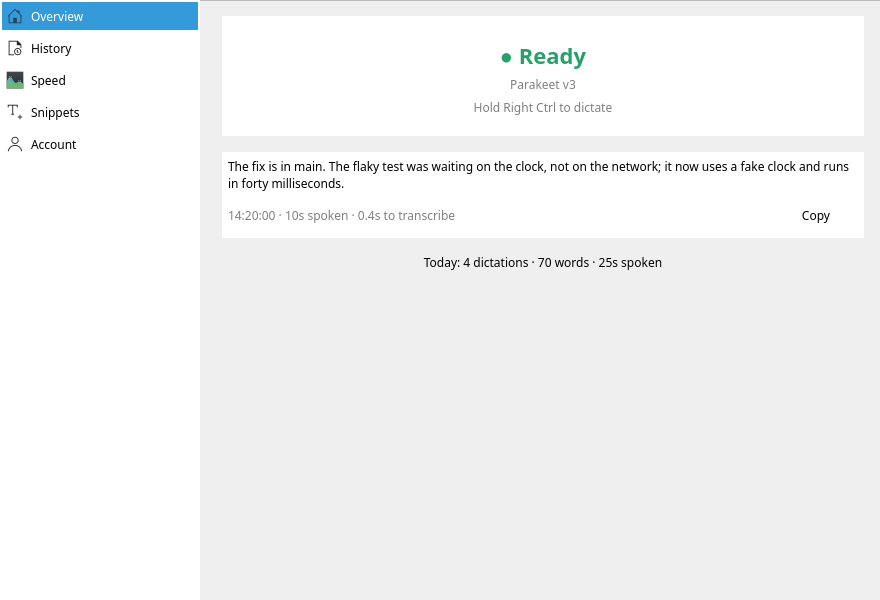
The control panel of this release, rendered by the build that made the packages (KDE / Qt).